eSIM in Qatar: Everything You Need to Know
Your definitive resource for understanding eSIM technology in Qatar — from the basics of how eSIM works, to comparing Ooredoo and Vodafone Qatar's plans, checking device compatibility, and activating your eSIM step by step.
This guide covers
What Exactly Is an eSIM — and Why Does It Matter?
An eSIM (embedded SIM) is a programmable chip soldered directly into your device. Unlike a traditional plastic SIM card you physically swap, an eSIM stores your mobile plan digitally — and can hold multiple operator profiles at once.
- Plastic card you insert
- One plan at a time
- Visit store to switch
- Risk of loss or damage
- Built into your device
- Multiple profiles stored
- Switch plans instantly
- Nothing to lose or break
Why It Matters in Qatar
Qatar's two major operators — Ooredoo and Vodafone Qatar — both support eSIM activation. For tourists and World Cup visitors, eSIM means instant connectivity the moment you land at HIA, with no queuing at airport kiosks. For residents, it means managing a local and an international plan simultaneously on a single device — ideal for frequent travel to the GCC or beyond.
eSIM Device Compatibility
Verified for Ooredoo & Vodafone Qatar networks
- iPhone 14 / 14 Plus
- iPhone 14 Pro / 14 Pro Max
- iPhone 15 series
- iPhone 13 series
- iPhone XS / XR and later
- Galaxy S22 / S22+ / S22 Ultra
- Galaxy S23 series
- Galaxy S24 series
- Galaxy Z Fold 3+
- Galaxy Z Flip 3+
- Pixel 6 / 6 Pro
- Pixel 7 / 7 Pro
- Pixel 8 series
- Pixel Fold
- Huawei P40+ (limited)
- OnePlus 9 Pro+
- Motorola Razr 2022+
- Sony Xperia 10 IV+
Device must be unlocked and running the latest OS. Some older Huawei models may require carrier unlock after the eSIM activation.
2
Operators offering eSIM in Qatar
~5 min
Average activation time online
Ooredoo vs Vodafone Qatar
eSIM Plans Compared
Qatar's two major carriers both support eSIM — but they differ significantly in activation options, network speeds, and international coverage. Here's everything you need to know before choosing.
Ooredoo Qatar
Leading 5G network
Vodafone Qatar
Nationwide 4G coverage
Ooredoo
Vodafone
Ooredoo
YesVodafone
YesOoredoo
QAR 85/monthVodafone
QAR 90/monthOoredoo
YesVodafone
YesOoredoo
YesVodafone
NoOoredoo
Up to 1 Gbps (5G)Vodafone
Up to 150 Mbps (4G)Ooredoo
YesVodafone
YesOoredoo
100+ countriesVodafone
60+ countriesOoredoo
YesVodafone
NoOoredoo
YesVodafone
YesDisclaimer: Plan pricing and feature availability are subject to change. Always verify the latest details directly with Ooredoo or Vodafone Qatar before purchasing.
See all network guidesOoredoo Qatar
With full 5G rollout across Doha and key urban areas, plus a seamless self-activation app, Ooredoo is the top pick for tech-savvy users and frequent travellers seeking blazing-fast speeds and flexibility.
Vodafone Qatar
Vodafone Qatar offers solid 4G coverage nationwide and competitive prepaid visitor plans. A strong choice for residents and tourists who prioritise reliable everyday connectivity and straightforward pricing.
How to Activate Your eSIM
in Qatar
Follow these five straightforward steps to get your Qatar eSIM up and running — whether you're a resident, long-term expat, or short-stay visitor.
Check Device Compatibility
EssentialBefore anything else, confirm your phone supports eSIM. Most iPhones from XS onward, Google Pixel 3+, Samsung Galaxy S20+, and many other flagship Android devices are eSIM-ready. Go to Settings → About Phone (Android) or Settings → General → About → Available SIM (iOS) to verify.
Choose Your Operator & Plan
Decision PointQatar has three major operators offering eSIM: Ooredoo, Vodafone Qatar, and Starlink (for data-only). Compare prepaid tourist plans, postpaid options, and data-only add-ons. Ooredoo and Vodafone both offer instant eSIM provisioning online and in-store. Select the plan that fits your data needs and length of stay.
Download QR Code or Use the Operator App
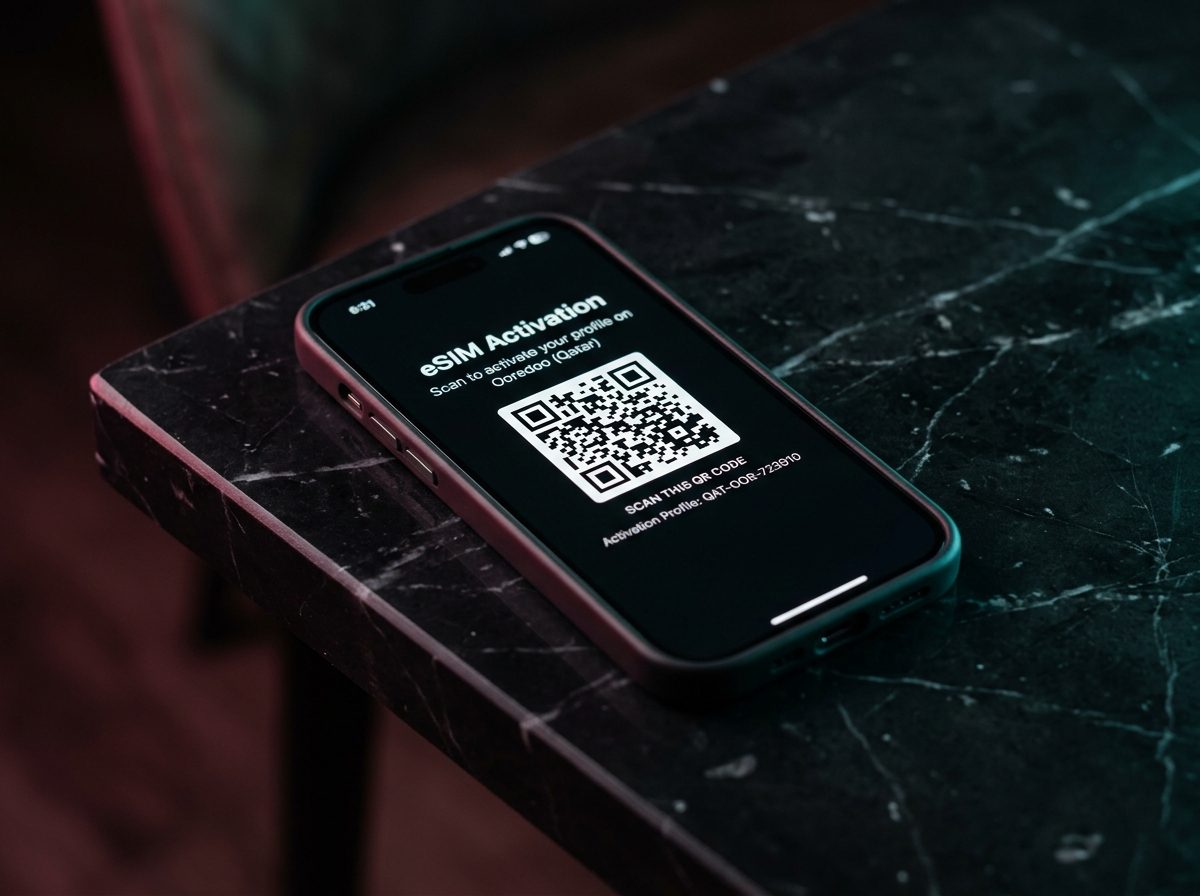
Get Your CodeOnce you've purchased your eSIM plan, you'll receive an activation QR code — either by email, in-app, or printed at the store. Ooredoo users can also activate directly via the Ooredoo Qatar app. Vodafone Qatar provides a QR code via email or through their website's self-service portal. Keep your QR code screenshot ready.
Scan and Install the eSIM Profile
Core StepOn iOS: Settings → Cellular → Add eSIM → Use QR Code. On Android: Settings → Network & Internet → SIMs → Add SIM. Point your camera at the QR code — your phone will download and install the eSIM profile automatically. This takes about 30–60 seconds and requires a stable Wi-Fi connection during setup.
Set as Primary or Secondary Line
Final StepAfter installation, choose how to use the eSIM. Set it as your primary line for all calls, SMS, and data, or use it as a secondary line alongside your physical SIM (dual-SIM mode). In Qatar, many visitors keep their home SIM for calls and use the Qatar eSIM for local data — a smart dual-SIM setup.
Pro Tips
Common Issues & Fixes
Need help choosing the right plan first?
Read our full eSIM in Qatar comparison guide to see the latest Ooredoo and Vodafone Qatar plans side by side, including prices, data caps, and validity periods — updated for 2025.